
Remediation
Resolve flagged access after a review cycle and keep a complete audit trail.
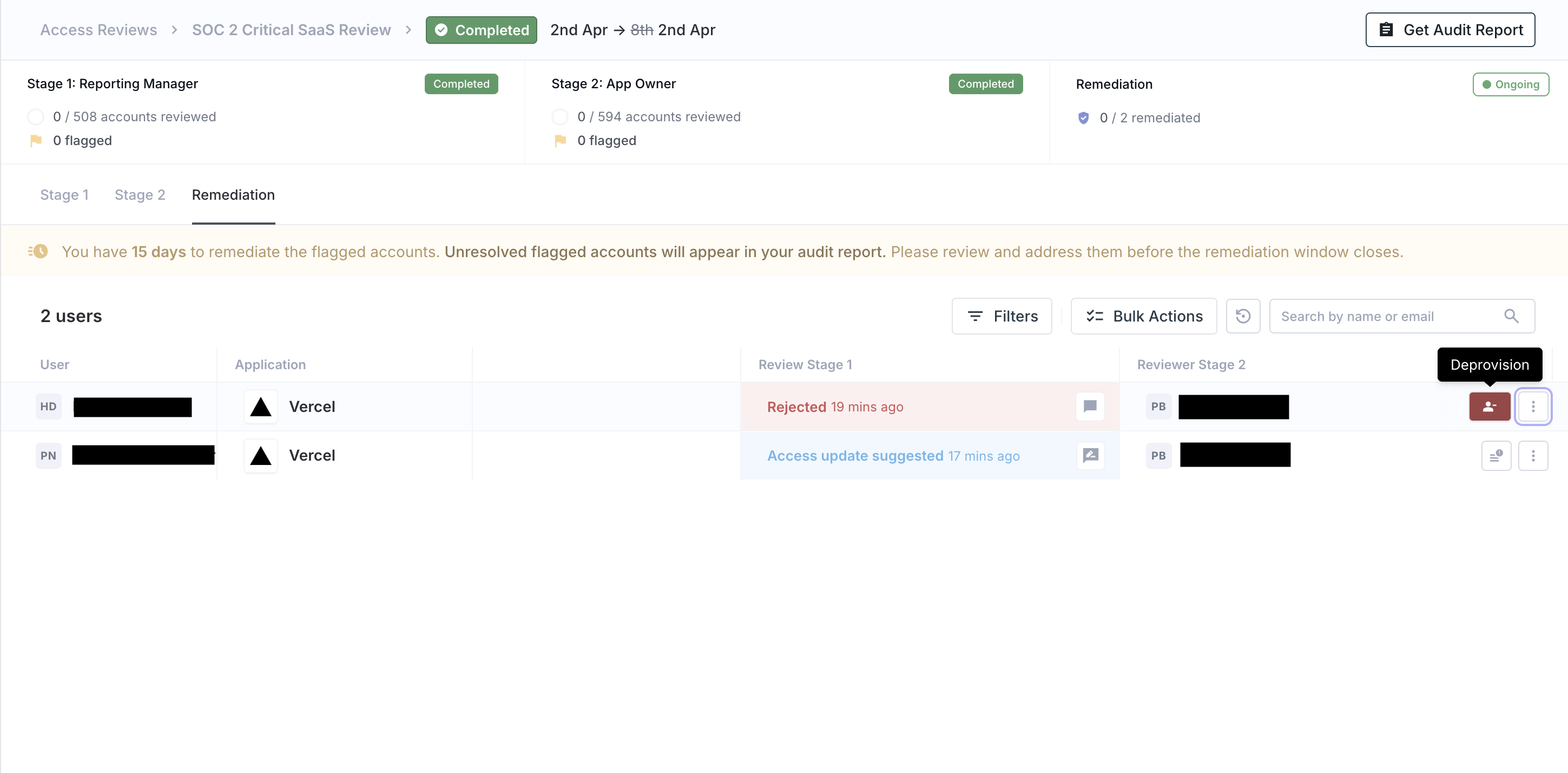
A review decision does not end the process. Once review stages are complete, admins or campaign managers still need to decide what action to take for flagged items.
If a reviewer marks access for removal, suspension, or update, that item moves into remediation tracking (the follow-up step). From there, Iden lets admins review the full decision history and convert the review outcome into an actual change.
Remediation outcomes
Common remediation outcomes include:
| Remediation outcome | What it means |
|---|---|
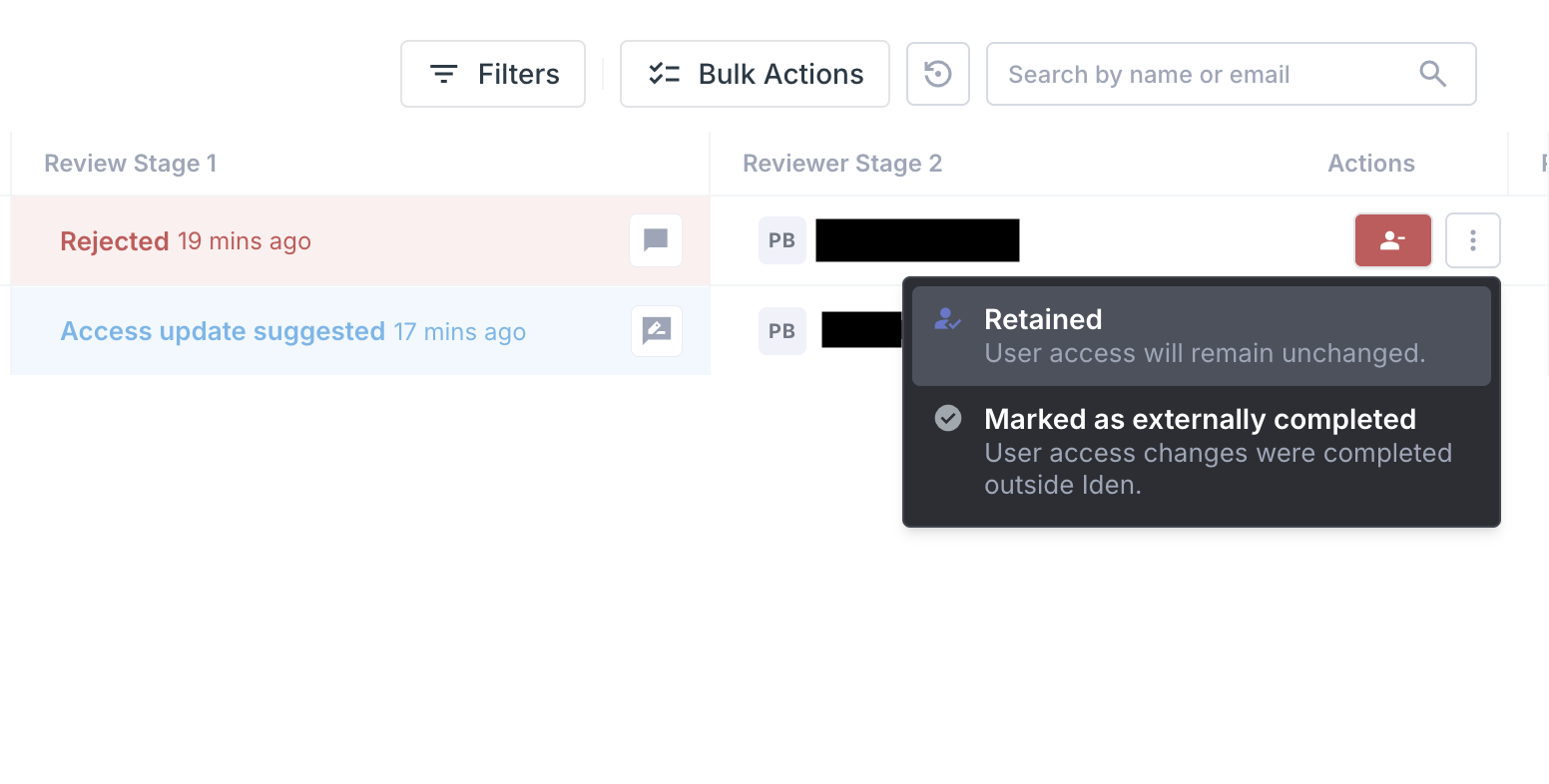
| Retained | Access stays unchanged |
| Updated | Access is modified based on the approved review outcome |
| External done | The change was completed outside Iden - for example, directly in the app |
| Task-driven removal or suspension | Iden creates and tracks the action needed to remove or suspend access in the target app |
The screens below show examples of the remediation view with flagged access items and available actions:
What happens after a reviewer flags access
In practice, remediation usually follows these steps:
- A reviewer rejects an access item or suggests a narrower set of permissions.
- The cycle records that decision along with the reviewer's comment and the time it was made.
- An admin opens the remediation view after the review stages finish.
- The admin checks the full stage-by-stage history - this is especially important if reviewers in different stages disagreed.
- The admin chooses the final action: retain, update, remove, suspend, or mark as completed outside Iden.
- If the action needs to be carried out inside Iden, the system creates the relevant task so the change can be executed automatically.
This separation is important. The review step captures the business decision. Remediation captures the follow-through action. That distinction is useful for both accountability and audits.
When reviewers in different stages disagree, remediation is also where the final decision gets resolved.
Review history and reporting
Iden stores all review decisions, reviewer comments, stage progress, and remediation outcomes. This means you can reconstruct exactly what happened during any campaign - useful for auditors, security teams, or internal reviews.
This history is useful for:
- Audit evidence
- Internal security reviews
- Following up on overdue remediation
- Comparing one cycle to the next
Campaign and cycle history typically includes:
- Campaign name, description, and frequency
- Cycle start and end dates
- Stage-by-stage progress
- Reviewer assignments and completion counts
- Item-level decisions and comments
- Remediation status after review
Because each cycle is stored separately from the campaign setup, you can keep a long-running campaign and still look back at each historical cycle independently.
Reports
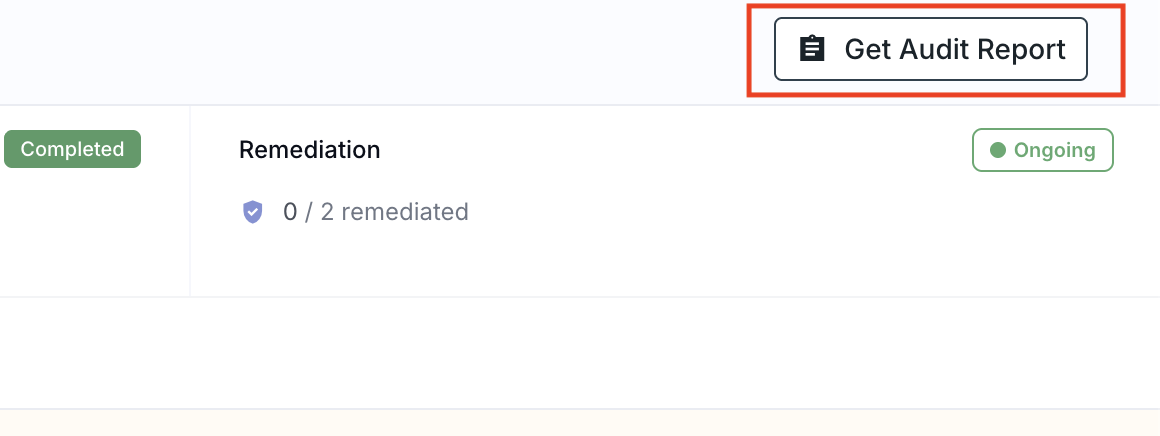
Campaign managers can generate audit reports for a cycle. These reports are designed to help with evidence collection.
The screen below shows an example audit report:
Reports are available in two formats:
- Excel - for detailed analysis and long-term record keeping
- PDF - for audit packages and stakeholder review
These reports can answer questions like:
- Which apps were reviewed in a given quarter?
- Which reviewer approved or rejected a specific access item?
- How many items were kept versus removed?
- Were flagged items actually followed up on?
This makes access reviews more than just a checklist exercise. They become a repeatable process with preserved evidence that you can rely on when auditors ask.